Export Data
Export device data for backup, reporting, or review. You can export per feature or by date range where supported.
What you can do
Export Images, Videos, Messages, Call Logs, Web Activity, and Location history
Choose a date range to limit the export (where available)
Download exports to your computer
Requirements
Access to the relevant device data in Aegio
Sufficient permissions for export operations
Start an export
Export data from a feature
Select a device in the sidebar and open the feature (for example, Images or Messages).
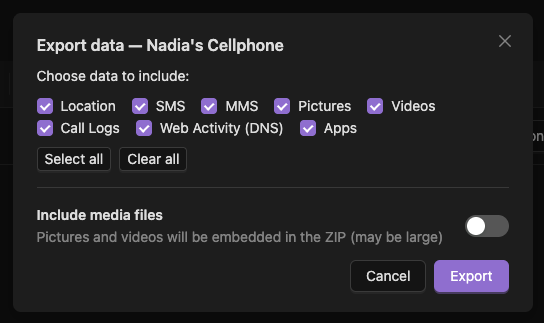
Use date filters if needed, then choose Export (or Download for media).
Follow the prompts to generate and download the export file.
Notes and privacy
Exports may include sensitive data. Store and share them securely.
Retention policy still applies to in-app data.
Troubleshooting
Export button not visible
Your plan may not include this feature, or the page uses direct downloads instead of export.
Export empty
Adjust the date range or confirm that the device has data for that period.