User Dashboard
Get a quick overview of your devices and recent activity. The dashboard surfaces key stats and shortcuts.
What you can do
See recent notifications count
Jump to commonly used pages
View quick tips or announcements
Using the dashboard
Navigate from the dashboard
From the dashboard, use cards and links to open Devices, Images, Location, and more.
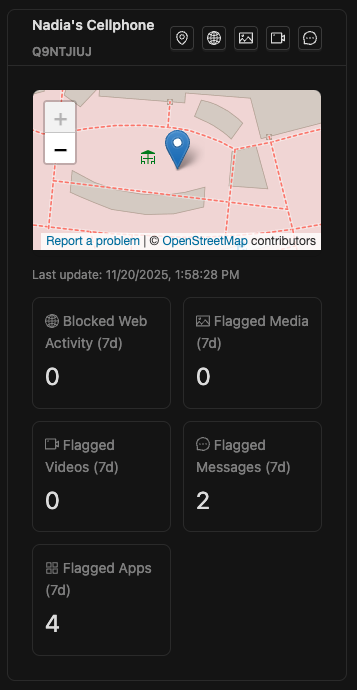
Click the notifications badge to open the in‑app notifications list.
Tip: If you have no devices yet, you’ll be guided to Account → Devices to add one.
02 December 2025