Device Management
Manage the lifecycle of your devices: enroll, view status, rename, and remove devices. Use this page as the control center for device details and actions.
What you can do
View enrolled devices and their status (online/offline, last seen)
Rename a device
Remove a device from your account
Review when the device was added
Requirements
Aegio account with permission to manage devices
Access to the device for enrollment and permission changes
View and manage devices
Open Device Management
In the web app, go to Account → Devices.

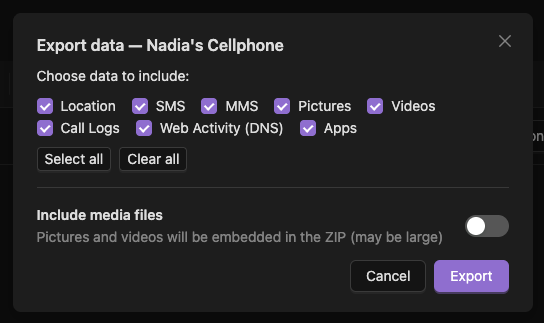
Each device can export its data
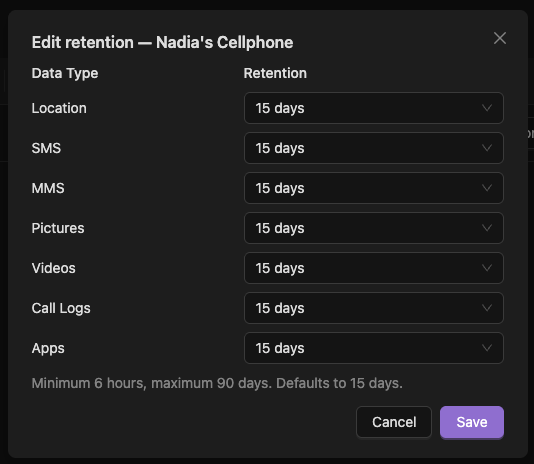
Modify retention settings
Modify ingestion settings. The ingest can be configured on some types for AI Flagged Only, enabling this feature only stores data from the device if it is flagged as inappropriate.

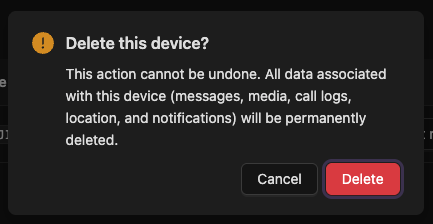
Delete a device This cannot be undone
Troubleshooting
Device not appearing
Ensure the device app is installed and signed in, and the device has internet access.
Status outdated
Open the Aegio app on the device to wake services; check OS power-saving settings.
If issues persist, see Contact Support.