Screen Time
Understand how much time a device spends in apps. View daily totals, app categories, and trends.
What you can do
See total screen time by day
View top apps and categories
Adjust the time range
Export summary data
Requirements
The device must be enrolled and online. See Device Management.
Screen time collection must be enabled/supported on the device.
Turn on screen time collection on a device
Screen time management will prompt for the needed permissions when the app is opened for the first time. If for some reason the permissions are removed, reopening the app will prompt for the permissions again.
View usage
Browse screen time
Select a device in the sidebar, then click Screen Time.
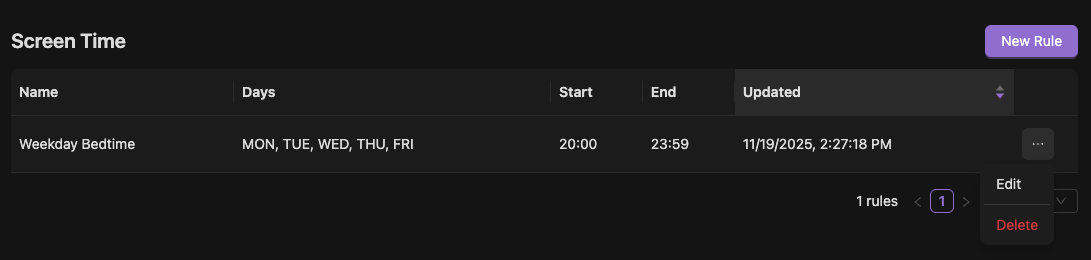
Add/Modify screen times as desired, setting days and hours. Note: screen times apply only within a single day range, so if you wish to continue a block past midnight, two sets of screen times must be entered.

Existing entries can be edited or deleted via the context menu.
Tips
Stationary or idle periods may reduce reported activity depending on OS rules.
Troubleshooting
No data shown
Ensure the device supports this feature and permissions are granted.
FAQs
How do I export screen time?
See Export Data.